Command line driver
A command line tool ty_ipl_driver is supplied to run scripts over a single
or a set of images. You can run scripts on a set of images for a given range of
parameters. You can supply script input parameters on the command line as a
comma separated list and it will run the script repeatedly for each of the
parameters. You can also specify a response file using @<filename> as a
single command line parameters and it will read the command line options from
there instead.
The command line is in the following format with each of the sections described
in more detail below. Note that image path can also contain wildcards (? or *)
to run the script over multiple images.
ty_ipl_driver <options> <parameters> <input-program> <image-path>
Options
| Option | Description |
|---|---|
| –help | Show usage information |
| –functions | Show basic help for all functions |
| –prefilter=<path> | Script to run on each input image before the main script. This is useful when using expensive operations (i.e denoising) to avoid running it for each step |
| –launch | Automatically launch the associated program to display the resulting image. Windows Only |
| –contact | Generate a contact sheet with all results |
| –experiment | Run in experiment mode to iterate over a set of input parameters |
| –sphinx=<dir> | Generate reStructred text docs for all functions (used by this documentation) |
| –functions_md | Generate a basic summary of all functions using markdown syntax |
Parameters
Each script can declare any number of input parameters. On the command line
these take the format of key=value pairs where the key is the parameter name
and value is a comma seperated list of values, i.e. kernel_size=3 or
kernel_size=3,5,7. This allows you to iterate over a set of values to
visualise the effect they have on a given script.
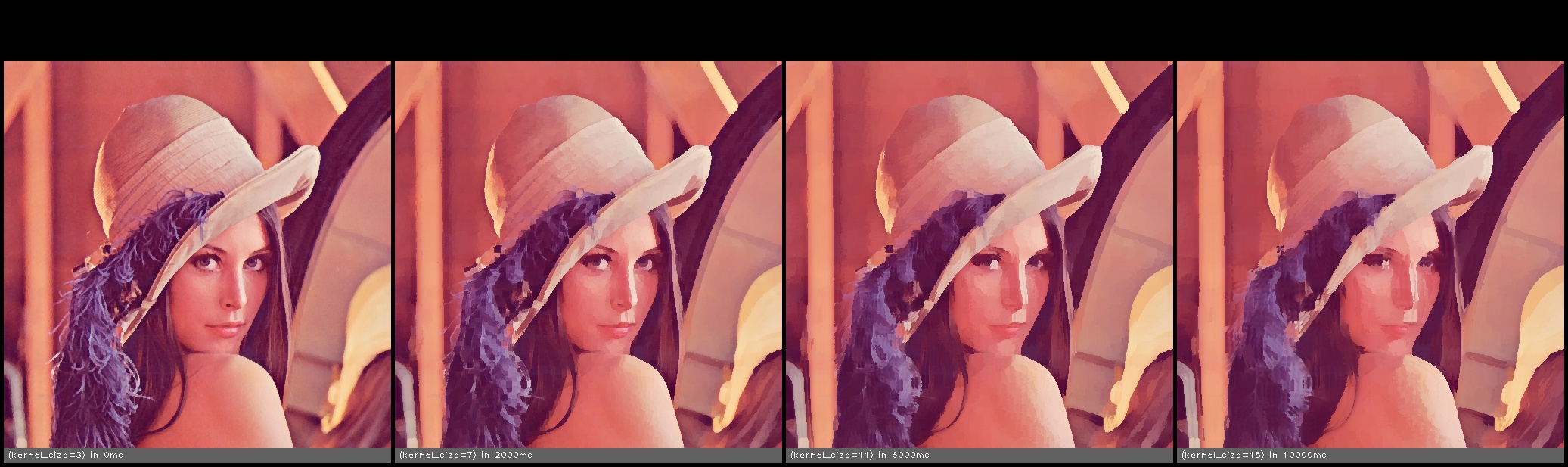
As an example the following script will take an input file, clamp it to a maximum of 1024 pixels on the longest edge and then run a kuwahara filter on it and output the result.
# any variable declared as input can be modified from the command line driver
input int kernel_size = 5;

# Function parameters are passed by key=value pairs.
# __src__ and __dst__ are special parameters for the input and result images
call clamp_image_size(src = __src__, dst = __src__, size = 1024);
call kuwahara(src = __src__,  dst = __dst__, kernel_size = kernel_size);
Calling this from the driver program (ty_ipl_driver) like this
ty_ipl_driver --experiment --contact --output_dir=./temp kernel_size=3,7,11,15 test_filter.fx image.jpg
Will result in the filter being run four time, once for each of the supplied kernel sizes and all the images being output to the temp directory in the following structure.
/temp
|--/test_filter-YYYY-MM-DD-HH-MM-SS
        |---\Images
        |      |---\image.jpg
        |              |---image.jpg
        |---test_filter-contact_sheet-YYYY-MM-DD-HH-MM-SS.jpg
A contact sheet will also be generated showing all of the images for easy comparison.